VoS BtS 5: Publishing an e-book Version

March 21st, 2015 by Potato

[Back to the first post in the Value of Simple self-publishing behind-the-scenes series]

Once your book is written and converted into an ePub (and AZW3) you’ll have to actually get it into customers’ hands, and ideally get some money for yourself out of the bargain. To do that you will publish the book with one of a number of self-publishing options, and sell through the following sales channels.

Amazon: a monster in e-books, Amazon produces most of my sales (by a huge margin for print, a respectable one in e-book), and I believe most of the ones for other self-publishers as well. Their Kindle Direct Publishing (KDP) program is huge, and was a pioneer in helping people to self-publish. With all of that experience everything runs quite smoothly now. You can set up a pre-sale period by uploading your final file in advance, and can set prices for different countries easily, with a 70% royalty rate for books in a normal price range1. It’s all so intuitive I don’t feel the slightest need to give you further guidance on the interface. You’ll get a chance to virtually preview your file on a number of Kindle virtual machines, though nothing beats actually trying your friends’ and family’s devices.

They will try to get you to make it exclusive to Amazon with Amazon Select, which is a tough call — on the one hand it will let your book go on sale and have promotional events (the regular KDP price doesn’t budge and doesn’t go into the lending library), but Amazon isn’t quite big enough to make forgoing all the other channels worth it in my opinion — especially if you put DRM on your book so readers will not be able to convert it to use on their Kobos or other devices. I did not go with Select and can’t recommend going exclusive.

If you have a print edition, you can create a special bundle price discount so readers can get the Kindle edition for a few dollars more — this option applies even if you publish the print edition through someone other than Amazon/CreateSpace. Typically the price points are 99 cents/$1.99/$2.99 for this “match book” option. I personally think this is a great option to enable, and have a similar print and digital bundle available through my direct store — think of it not as a discount on your e-book, but as an up-sell on your print book. They can get the file and get a head start on reading, and then finish the book in print when it arrives in the mail, or can read in print and give it away, but have an easy to archive digital file to refer to later.

Amazon will pay out by direct deposit to your bank account when you get over $10 in royalties, usually with a lag of ~60-90 days. Just enter your Canadian bank account information in their system and you’ll be set. They also recently (late 2014) updated their tax information collection so that you can fill out the forms to avoid US withholding tax without having to write to the IRS to get a registration number.

One weird thing about Amazon is that they want a cover image at a 1:1.6 aspect ratio, at a really high resolution (higher than will ever be displayed on most e-book readers). 1:1.5 (6:9) is a more common aspect ratio for covers — that’s the layout of a trade paperback, and also happens to be the screen aspect ratio for most e-readers. So keep in mind you may need to tweak a cover image to suit slightly different sizes, and mention that to your cover artist early on as it can affect what they put in the edges of the image — or they may need to prepare two files for you.

Kobo: fairly popular in Canada, thanks to its incubation and device sales at Indigo, Kobo is a bit player in the US, so you may see other guides to self-publishing downplay its importance. Kobo sells ePubs which are compatible with their own devices as well as Sony e-readers, Nook readers, and tablets/phones/PCs via apps. For a Canadian author I think you really need to include it, and that it may be meaningful enough to make it worthwhile to list your book there directly rather than through something like Smashwords. With Kobo Writing Life you can get set up selling ePubs pretty quickly, and they recently (late 2014) upgraded their payment systems to allow for semi-annual small payments (though I believe their documentation still mentions a $100 threshold, that will be likely changing as the small payment pilot seems to be going well and the payment threshold will move to a more standard $10 update: the payment threshold is now $50). Like Amazon, they have a 70% royalty rate for most book prices.

For me, Kobo comes in third to Amazon and my own site for e-book sales. However, Kobo has a Canadian presence so you avoid having to fill out US withholding tax information, and the data collection to get you set up is really easy to use and clean, so it’s not hard to do yourself vs using a distributor.

Smashwords: a distributor and a retailer, Smashwords is a neat time-saver for e-book publishing. Through Smashwords you can get access to Barnes and Noble, the iBookStore (Apple), Scribd, and a few others including Overdrive (it’s the source of e-books for libraries though they tend not to go for self-published stuff, and Overdrive hides2 it from them). They’ll also get you into Kobo if you want, but it’s so easy to do on your own that there’s no point in giving up the royalties. A weird thing — and unfortunate from a Canadian perspective — is that you can’t set prices in CAD or by other regions on Smashwords, only one price in USD for the whole world. Smashwords’ royalties are a little complicated from all the channels they provide access to: their own direct sales channel (sales through Smashwords.com) is ~75%, and most other channels are ~60% — they provide a lower royalty rate for these channels for the service of being a one-stop shop for getting out to all those retailers. You can opt in or out of each channel individually, so you can opt out of Kobo and go direct to Writing Life for instance, and then accept the lower royalty rate for say B&N and iBooks, which is ok because in my experience (and what I’ve read elsewhere) those other channels are orders of magnitude below Amazon in terms of exposure and sales. I have almost 5 times as many sales through Kobo as through all Smashwords portals combined, and Kobo is itself a factor of 4 below Amazon and my own site.

You can either upload your own ePub to Smashwords, or give them a Word document and let them do the conversions. I created an ePub anyway, and I’m highly skeptical of completely automatic file conversions, so of course I went with the upload my own ePub option.

I have not yet figured out how to fill out their paperwork to avoid US withholding taxes without registering for an ITIN with the IRS, but it’s not something I worry about (a 30% withholding tax on a few tens of dollars is only a few dollars). They pay out to PayPal with a $10 threshold, and give Canadians a very clear and easy button to tell them to hold payments until you file your tax information if you want time to sort out your filings to avoid withholding tax, or to send payment ASAP and acknowledge up front that there will be withholdings so no one is surprised. (Update: it wasn’t that hard, it’s just not electronic: you have to fill out the form, and physically mail it in.)

Google Play: it’s Google, and it has the ability to offer PDFs, which may be a neat feature, depending on the content of your book. However, the royalty rate is lower (52% vs 70%), and they provide at least 20% of your book as a free preview, which some authors have complained is giving away too much. I have not had a single sale through Google Play yet, but they claim to have a monthly $1 threshold to Canadian bank accounts so if sales do come through, getting royalties should be quick.

Google Play mostly works intuitively for getting your title set up, but when it comes to setting prices instead of just going through a list of countries/currencies and putting in the price like with other retailers, you have to use a string, like “Region: CA” to set prices for Canada, and then “WORLD -CA” to set a price for the rest of the world excluding Canada. It’s just a few little things like that that made it a bit tougher to get set up with them, but none of it was devastating.

Direct Sales: it’s fairly easy these days to set up a merchant account with PayPal (or another small business credit card processor) so that you can accept payments and sell books directly to customers without a middleman. You can also set up a shopping cart yourself, which can automatically serve an e-book to customers. The main reason I set up a direct sales site was to keep control over the format: I want customers to be able to get a bundle with every format they could need, including PDF as well as Kindle and Kobo files, so that they’re not tied to any one retailer’s ecosystem or hardware. If it weren’t for that I likely wouldn’t have bothered as it is a lot of work. A side benefit is that you get more than 70% of the gross (93% for me) — and as long as you’re a small supplier your customers can save on the HST. For some people it can make sense to sell directly just for the profit boost. You may be generating most of the leads and interest in the book yourself anyway, though the downside is that you don’t get people leaving reviews for the next customer to see like on Amazon or Kobo, and you don’t get the sales traffic which can help your book move up the ranks and become more visible at the retailer. If you do sest up a direct sales site, I’d recommend listing with regular retailers as well, as there will be people who only find your book through that route.

I’m with DreamHost, and they make it pretty easy to create a subdomain with ZenCart as a direct sales shopping cart program. It’s open-source and works fairly well out of the box, though you will likely want to do some customization. I’ll note that creating downloadable products is not the easiest thing — you’ll have to delve into the admin settings to create a downloadable product.

Another option is to use a PayPal “buy now” link. The advantage to that is that it’s super-fast for your customers: they don’t have to register on your site or go through a three-step cart checkout, just one click and they’re entering their payment information. The downside is that it does not produce an automatic download link: you have to manually follow-up with an email that has the book as an attachment, or with a download link. And no matter how many times you write it out, or include it in the receipt text, or put it in bold face, people will freak out all over you that they paid for something at 2am and your site is broken, and you didn’t get back to them with their digital thingy until nearly noon, which is just unacceptable customer service. I would love it if PayPal could outsource this for us for digital goods delivery, as when I did have the one-click buy now links about two-thirds of my sales were through those — the convenience factor is huge, and you don’t have to worry about people abandoning their cart when your store software forces them to create a password (even if you don’t want it to). But the headaches from getting emails from angry, inpatient people made me stick with the less-convenient store software this time (also, the added complication of having print and e-book options, which would necessitate multiple buy now buttons).

Moving on from retailers, let’s talk about DRM. Most retailers will offer you the option to lock your content down with DRM, Smashwords being the main DRM-free exception. It’s up to you what you choose, but personally I hate DRM. If you become insanely popular, the pirates will break it anyway. If it’s unlocked and a few people share the book, well, it may lead to some buying their own copies, or at least spreading the word. In the meantime you have fewer frustrated readers (and before you go with DRM, it should be mandatory to try to help your Aunt load a locked ePub that she legitimately paid for onto her e-reader — it’s frustrating). Plus it’s a lot easier to offer multiple formats through your own website if you don’t have DRM.

1. Note that they charge a very small amount for data transfer, but if your book is huge with many pictures (i.e. tens or hundreds of MB) these data charges may seriously impact your profits. Normal price range is ~$3-10 for the e-book; cheaper or more expensive and you’ll have to accept a lower royalty rate.
2. Obviously not first-hand, but the explanation I have seen is that Overdrive presents librarians with a default catalogue of “real books” to build their collections, and that self-published works are technically available through Overdrive but the librarians have to specifically enter the self-published side to see them.

[Back to the first post in the Value of Simple self-publishing behind-the-scenes series]

VoS BtS 4: Creating e-books (ePub)

March 18th, 2015 by Potato

[Back to the first post in the Value of Simple self-publishing behind-the-scenes series]

Electronic books have really brought the cost and effort needed to publish a book down. There is very little overhead or initial investment needed to publish an ebook — zero if you do everything yourself, though you’ll likely want to outsource some things (e.g., editing and cover art). Some places will charge to convert your book into an ebook and list it; IngramSpark for instance charges $25 USD to convert and publish your ebook, though there’s no additional charge if you do it at the same time as publishing a print book (though they do take a larger slice of the royalties). However, you can fairly easily do all of this yourself.

The low overhead for e-books also translates into a relatively high royalty rate (~70% for Kobo and Kindle, ~60% for some other platforms, ~40% if you use a service to automate some of these steps for you — assuming your book is in a “normal” price range).

Formats

There are two basic ways to create an ebook: to use a reflowable text-based format, or to use a PDF. While PDF has become a standard for displaying all kinds of documents across the web, it is near impossible to buy an ebook in PDF format: Amazon, Kobo, and iBooks only offer reflowable/text-based formats (ePub/mobi or proprietary analogues). Google Play apparently allows PDFs, but the customers are not on Google Play (also, Google Play only offers a 52% royalty rate).

The ePub format is the base, standard ebook format, and will work on nearly any device (Kobo, Nook, Sony e-reader, plus many phones and tablets with reader apps), and is close enough to the Amazon Kindle format that you can convert from it with automatic tools and it will work pretty well. The format is basically a self-contained package of really basic webpages (it’s not quite standard HTML but close enough that if you know how to use tags you’ll be fine) and associated images. Each chapter will appear as a separate sub-file inside your ePub, with a common CSS style sheet to create the formatting.

The neat thing about e-books (ePub or Kindle) is that the user has a lot of control over their reading experience: if their eyesight isn’t so good, or their device screen is small, they can bump up the text size or the spacing; they can adjust the margins, and even change the font face. For you, the publisher, the upside of this is that you don’t need to put much work into formatting because the user will just break it anyway (unless you’re a design nut in which case not having control over your layout is probably a downside). The downside is that ePubs are really only suited to text-only (or mostly text) books. They do not have the ability to display tables, and images can be really frustrating to work with. Plus the formatting doesn’t understand percentages, so if you want to indent some text (like the little summaries at the end of several chapters in The Value of Simple), the indent is set in ems, which can create a really narrow little column of text on a small screen (as most of the total space ends up being the left and right margin of my indented summary), and on larger high-resolution screens the indent is very modest.

Years ago, I had to create my ePub by converting my book to html, then using a special creator/editor program to convert that to ePub, then use the editor to fix all the conversion errors. It was several days of coding (every special character wonked out, plus other bugs). Now, Calibre is here and does a much better job of converting directly from Word. I had to tweak a few things — like images, tables and indented paragraphs — but the automatic output was passable. To make my life a bit easier converting, I did some of the work in Word first by creating a new document with the page size equal to the screen size of a 6″ Kobo, and replacing all tables with images. Though don’t trust automatic file converters to do an awesome job — check the code and output yourself.

To get around the limitations of the format, you have to convert any tables to images. However, images are still limited: you can’t simply say “100% width”, the image will by default just display at its native resolution, which may look great on a Kobo Touch, and tiny on a Kobo Aura HD. To get around this you’ll have to manually go in and create frames around each image to tell it to scale to 100% width, using the appropriate aspect ratio (see code snippet at the bottom).

As if that weren’t tricky enough already, you have to deal with the limitations of the readers: older readers had lower resolution than more recent entries. The typical way to deal with this is to put in a high-resolution image and downsample it (shrink it) for smaller screens — going the other way doesn’t make sense, as you can’t create resolution (outside of crime dramas). However, the thing is older devices like the Kobo Touch have crappy graphics processors to accompany their crappy screens. That means a high-resolution image resized (shrunk) to fit on the Kobo Touch looks way worse than a low-resolution image designed for the Kobo Touch blown up to fit on an Kobo Aura HD.

Speaking of limitations, keep in mind that e-ink e-readers are black and white — if you have graphs or other images with colour, be sure they translate to greyscale (I had to redo a few images), and update the figure descriptions to match. Be sure to try to get your hands on a few different pieces of e-reader hardware to see how your book will look on them.

A minor issue with the ePub format is that there are so many little code tags in so many sub-files, and for some reason different retailers will throw up on some for no reason at all, making you fail file validation (after I got it working for Kobo and Google, SmashWords ended up not liking a meta tag in the header — how it can decide one meta tag of several breaks validation, I do not know).

If you’re creating a print version anyway, you may have spent a lot of time on layout and fine formatting, plus have high-resolution images available. In that case you may want to publish a PDF, as I did. Though plenty of readers want one, other than through Google Play I don’t know how to sell them one, so I created my any format ebook bundle that I sell directly through my website, where I have control. Of course, that was many, many hours of setting up a PayPal account to accept credit cards, a ZenCart instance, and dealing with the odd customer issue with the web store. The effort has paid off, I think: it’s my second-most popular sales channel, and my effective royalty rate is higher (I have to pay for hosting, but I do that anyway, and credit card transaction costs).

Writing

Of course, you don’t actually start by writing directly into an ePub or PDF, you start by writing in a word processor, most likely Word. My biggest, most important tip is to use styles when you’re writing to control the formatting. I covered this in the part on writing, but it’s important to repeat as your ePub conversion will pull from these styles — they are what will feed that stylesheet. Hard returns and using the spacebar or tab to indent a paragraph will not translate well into ePub: be sure to use the paragraph style properties to do this. Creating headings ad hoc will lead to inconsistencies in detecting chapter breaks, and in the appearance of your work when you use an automatic converter. While you can manually repair this in something like Calibre, if you simply upload a Word file to any of the services offered by Kobo, Kindle, Smashwords, or IngramSpark, you won’t be able to fix it without uploading a new file (which may cost you a revision charge).

Addendum

Here’s the code I used for creating a frame to resize images to the device in ePub.

<div>
<svg xmlns="http://www.w3.org/2000/svg" xmlns:xlink="http://www.w3.org/1999/xlink" version="1.1" width="100%" height="90%" viewBox="0 0 594 648" preserveAspectRatio="xMidYMid meet">
<image width="594" height="648" xlink:href="images/image5.png"/>
</svg>
</div>

Then make the dimensions in both the svg and image tags match the dimensions of your image, and the height percentage be a bit more than the height on a Kobo Touch (e.g. for its 600×800 screen, an image 648 pixels high would be 81%, so I put 90% to give it a bit of a whitespace border).

Of course, as time goes on you may start caring less about backwards compatibility: newer devices from Kobo, Sony, and Nook have higher resolution screens, and likely already outnumber the older devices. In the next few years you may want to use the same trick for resizing, but use a higher screen resolution for your base.

VoS BtS 3: Editing Process

March 17th, 2015 by Potato

[Back to the first post in the Value of Simple self-publishing behind-the-scenes series]
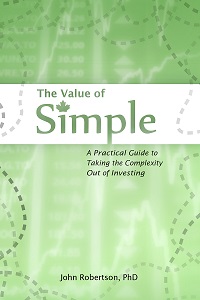
As an editor in my day job, I have to say that editing can make a huge difference in the professionalism of your book and in the clarity of your message.

Getting eyeballs on drafts is the best way to improve something, but you have to keep in mind whose eyeballs they are. A professional editor may not be an expert in your book’s genre1, but will help spot and ruthlessly correct errors and ambiguities. Friends are a fantastic resource because they’re often willing to work for peanuts2, but they’re also not likely to be comfortable making criticisms (constructive or otherwise) for fear of hurting your feelings. However, anything a friend hints that they may not fully understand is likely a point that needs a re-write for clarity.

I like the concept of beta readers: people who read an early version of the book and critique it (sometimes what they heart, mostly what they don’t like or get). Your beta readers should include your target audience: if it’s an introductory guide to personal finance, then you’re going to need some people who are fairly naive on that subject. Experts may already know TFSAs inside and out, so their eyes may gloss over your particular bunny-based explanation of how they work and miss any issues, whereas a newbie will tell you if the analogy works or not (especially if you quiz them on what they retained). But you also need some experts to help spot errors.

I don’t think the beta reader/peer-review model is catching on as much as it should, which is a shame. It does require some indulgence from your friends and colleagues, and in return you need to give them enough time to actually read your book — at least a month, and more like three. That can be a big delay on your timeline if you weren’t ready for it, but it’s also a great time to let the first draft cool.

A critical part of editing is that you have to be able to spot weaknesses in the first draft and be willing to make changes even if they’re painful — you may be particularly attached to a certain joke, but if no one else finds it funny or notices there’s even an attempt at humour in there, then it’s no good keeping it in. Or you may be thinking about how much work you put into looking up a certain fact or crafting a certain paragraph, and don’t want to cut it even though it impedes the flow around it. I find that a cooling-off period lets the short-term memories of actually writing parts of the book fade enough that I can treat them objectively and work to improve them — even if that means ripping them apart.

So with re-reads and making changes, parcelling out copies to beta readers, accepting and discussing their feedback, and making rewrites, the editing process can take a lot of time — more3 time than writing the thing in the first place did!

In addition to beta readers, a professional editor can really help sharpen your language, get rid of distracting errors, and restructure the document. In my case I work with editors, and was fortunate enough that they were willing to give the book a detailed read-through in exchange for keeping the office snack area well-stocked with wasabi cashews. Not quite literally working for peanuts, but as good as. And their feedback was great — in addition to spotting all the little typos and awkward sentences with their eagle eyes, they suggested that I reorganize the book into about four defined sections — the first version was a collection of short chapters that didn’t have a great flow between them or an overarching idea linking them into a unit other than “this will be handy for learning to invest.” I ended up creating three sections: an introduction, which was focused on quickly bringing in important concepts; an applications section, which was to be the practical step-by-step guide forming the core of the book; and an advanced discussion section, which would focus on particular issues, topics that were a bit more complex, and then tie the whole thing up.

Once I had that three-part structure — even though putting it in place was just a few headings and short introductory paragraphs — it became a lot easier to navigate the book and see how it should be laid out. Many chapters got reorganized after that, in particular the part on Norbert’s gambit which originally followed right on the heels of ETF investing, but it was really complex and confusing. So in addition to tweaking the chapter itself, it got pushed back to the advanced section with a healthy disclaimer, so it would be clear that readers could safely ignore it if they were confused. Likewise, the Automation chapter was originally buried in the end matter, but when I was talking about the book and how to invest, automation kept coming up as a central part of the approach, so it just made sense for that to be the close of the Putting it into Practice section.

Enlisting the help of an editor can be a harder sell as a self-publisher when you’re not one yourself and can’t entice your colleagues with foodstuff: if you have to pay out of pocket to do it you need to try to put a value on it. Books riddled with errors certainly do sell — sometimes well, even — but it will be a distraction, often one that makes it into a review. It’s better to be clean and polished, but how much better? If you’re only going to net $1000 from your book no matter it’s polish, it’s hard to justify spending nearly that much on editing. It’s extra hard when many of us are vaguer than a per-word price quote, as the cost to edit will depend on how much work each manuscript is, meaning you may not even know the exact price up front. For the Value of Simple, which started fairly clean, I’d probably have charged myself several hundred dollars to edit it. As a self-publisher with a small audience that would be a tough value proposition: I know I would have had to sleep on it before hiring myself. The book is certainly a better product for all the work of beta readers and my editorial team, but to the extent that it would sell 50% more copies? A manuscript needing more work would take more hours to fix, and possibly cost more — though then it might need it more, and get more value out of the service.

For this project, I was all over the beta reader concept. Some people get paranoid about sharing early, but you can’t really keep a book secret for long, and there isn’t much point — you’re going to publish it at some point, and you want people to be looking forward to it. So I sought out some people who could help make the book good. The phenotypes I targeted were:

    1) Colleagues and friends who fit the target audience (i.e. not do-it-yourself investors while not being afraid of money). They could tell me if anything was unclear and help spot typos and fix the language.
    2) Financial planners and bloggers — experts — who could evaluate the simple plan I laid out to make sure I wasn’t leading people totally astray or leaving out something hugely important. Indeed, spotting what is missing is one of the hardest parts of substantive editing, and will likely take a lot of eyeballs before it’s caught.

About 65% of people I tried to enlist as beta readers responded with feedback, so be sure to get more than just one or two beta readers as you will have a few who can’t find the time or will just say something nice but unhelpful like “looks great, can’t wait!” I did keep a few readers in my back pocket for the second iteration, so someone could see it with fresh eyes after the improvements from the first draft were implemented.

Then we went through the rounds of edits, really firmed up the material (and added chapters), and off it went to the reviewers to start building some buzz. One of whom was Michael (of Michael James on Money fame), which reminded me that I didn’t get a math guy to look at it. So it was fortunate that he didn’t just skim through the book to write a review for his blog, but really checked my figures in detail, like a beta reader or editor would. I want to mention two issues he identified — while neither one broke a thesis or would change the recommendations, it was good that he caught them while there was still plenty of time to fix them, and kind of highlights some changes that can come from the editing process.

The first was my own goof: I came up with a spreadsheet to calculate the figures to back up some important point. The numbers came to about what I was expecting, I copied the results down, and was off to the races. Well, Michael actually found an error in my figures, which let me find a mistake in the formula used to generate those figures and create a graph. So I reworked it with fresh eyes and double- and triple-checked the math. For the average reader the error is of no consequence — in fact, the point I was trying to make is stronger than I originally made it out to be — but it makes me feel a lot better to have it done right in the final version. This was like scientific peer review at its best.

The second illustrates how something that’s totally reasonable in your head doesn’t translate to understanding for the reader. When it came to describing the typical fees on a mutual fund in Canada, I didn’t want to confuse the reader with by being too technical, or to be too precise. I figured it’s high, we all know it’s high, so let’s just move along. At different points in the book I said that the average MER was “over 2%” and “nearly 2.5%” — both of which are oblique ways to describe an average fee somewhere in the range of 2-2.5% (with 2.4% being the specific figure in my head). I’ve seen different figures from different sources, and I didn’t want to just pick one study or report as the definitive one. However, that vagueness crossed the line into an inconsistency that might cause confusion (or make the reader think I didn’t actually know), so I had to pick a source and a final number, or at least settle on one consistent way to describe it. For equity funds, Morningstar’s “Global Fund Investor Experience” 2013 report puts the average MER at 2.42%, which I suppose is as good a figure to settle on as any, and this the citation you’ll find in the final version.

And this is a great place to thank my invaluable beta readers:

  • Jill Bressmer
  • Dr. Carrie-Lynn Keiski
  • Dr. Margaret Kinyanjui
  • Kelly Robertson
  • Ben Pakuts, also responsible for the wonderful cover art
  • Sandi Martin
  • Kyle Prevost
  • Shelly
  • Michael Wiener

  • 1. Indeed, there are different types of editors. I read one book a while ago that claimed to have had multiple professional editorial passes, and while the micro-editing was good — free of typos and grammar errors with minimal passive voice — the content was full of errors and just simply not worth reading. While you want to make it easy for your beta readers and early reviewers to read by being clean (so they don’t get distracted by minor issues), save a professional copyedit for closer to the end and focus on substantive and style editing first.
    2. Or wasabi-coated cashews as the case may be.
    3. On the calendar if not in time at the keyboard, as I was taking more time off work at the writing phase.

VoS BtS 2: Timeline and Writing Process

March 10th, 2015 by Potato

[Back to the first post in the Value of Simple self-publishing behind-the-scenes series]
The Value of Simple had a bit of a strange origin in that I didn’t originally set out to write a novel-length book, but to just update the novelette-length PSGtDIYI with some suggestions that had rolled in over the years. So the process I started out with was not ideal: I was writing in Word and tapping enter twice at the end of each paragraph, as I do when writing for the web to do block style.

For longer documents, especially books, you want to break that kind of habit, and faithfully use defined styles for your text, headings, footnotes — everything! Let the paragraph formatting take care of the space between paragraphs, because odds are you’ll want to set it for each production form factor, and going back to do it manually over 200-ish pages is a nightmare, while doing it by just updating your “normal” or “body text” style is a snap. These styles are also important because they often translate to other programs — if I were to export to InDesign, or to Calibre. Finally, they allow for lots of cool automatic things to happen, like creating tables of contents that update page numbers on their own.

So my one major tip for writing is to use those styles — create as many as you need, but no more. Other than bolding or italicizing a few words within a paragraph, all of your formatting should come through styles and page/section breaks.

I did a lot of outlining for this book, and in a few cases decided to not bother with some potential chapters while they were still at the outline stage, which limited the amount of work put into stuff that was destined to be cut anyway. The outlining also helped me see some holes in the story — which is how the project grew so quickly. Sometimes I find you just have to write and see where the story takes you, but for non-fiction I really think outlining can help.

For writing, the structure of a book like this helped a lot: I was able to chunk it into a bunch of smaller segments which I could handle in a few consecutive writing sessions — a mode of operation I was used to from blogging. I also set self-imposed deadlines, which helped me to keep pushing myself to get it done. I knew I would have to set it aside come June because of some projects at work on the horizon, with March-April being my big writing window. With a layout in place I could get a good sense of how much progress I needed to make, and whether I was staying more-or-less on track to hit my deadlines. Sure, more sections were created as the writing and reviewing progressed and holes in the story were found, but it did go pretty much as planned. Some experience from work writing reports and of course having my thesis under my belt helped a lot with self-discipline and planning. And having a deadline I didn’t want to miss for submitting to traditional publishers helped me get to just the right level of stress so I could keep pushing out drafts — knowing that I would have a review period after they got to sit so I could make it better.

Just sitting down and writing is hard enough, but there’s a lot more to go into being a self-publisher. You need to produce a high-quality finished product, which will mean bringing in people to read, critique, and improve what you’ve written — those can be friends or volunteers with an interest, or editors for hire. I owe a huge debt of gratitude to all the people who helped read early versions of the book and criticize it and make suggestions, especially the bloggers and advisors who gave up their time to make sure it was accurate.

It takes time for all of this to happen, even after the first draft is done. Below is a look at what my timeline looked like, including the false starts and set-backs. Basically it was ~3.5 months to write the first draft, a cooling-off period for your beta readers to read and your mind to go elsewhere (mine was longer but I’d say give yourself a month), then another ~3 months for revisions, packaging, registering, and publishing. I had read that it took about 6 months for publishers to respond to queries — in practice it is at least 8 months (the fastest one took that one and I still don’t have a response from the others). I’d suggest giving at least a year if you want to take a shot at submitting to a traditional publisher before your self-publishing adventure begins.

My timeline:

  • Mid 2013: Decide, based on conversations with readers, to update and expand Potato’s Short Guide to DIY Investing for a 2nd edition. Begin taking notes on what I’d like to change and add, and drafting a few blog posts that will get further refined and incorporated into the book. (I end up with a massive stack of doodled-on envelopes, scraps of paper, and only a few pages of the notebook I intended to use to organize those thoughts filled out)
  • Fall 2013: Get super-busy at work. Put 2nd edition on hold, with plan to take time off at xmess and write entire thing over 2-week break.
  • Winter 2013: Massive ice storm, evacuate house for 10 days from power outage and burst pipe, zero writing gets done — and other tasks on the xmess to-do list have to get done in January, somehow. Postpone 2nd edition to early spring.
  • February 2014: Super-busy at work for a brief period, with a big slack period following that. Use accumulated vacation to take days off (~1/week) through last two weeks of February, March, April, and May to write.
  • Spring 2014: The actual writing begins in earnest. As I get going and talking with people the scope blooms, and it evolves from a 2nd edition of PSGtDIYI to a completely new book in its own right. I become a big fan of outlining during this period to keep the scope under control and to keep myself going — I decide at the outline stage which suggestions to cut (people had lots of questions they wanted answered). When writing for a day I can just pick a section from the outline to flesh out with a chapter when I had a block of time to write. I try to write for ~2 hours each afternoon while baby is napping (~3 days/week, using weekends and the day off) and another ~3 hours each evening (~6-7 days a week).
  • Late April 2014: Realize that this is becoming a “book book”, start talking to some published authors about the process, read up on submitting queries, borrow a copy of Writer’s Market to check on publishers’ timelines. Prepare a kind of a business plan, a detailed proposal, and an elevator pitch. Convert vague “finish by June” timeline to a more defined one to take me through to the end in May and then into the fall for self-publishing.
  • Mid-May: Complete draft finished — send pitches and manuscripts to publishers and copies to external reviewers (for feedback and promotional purposes), which included bloggers and experts in finance as well as complete novices to be my beta readers.
  • Summer 2014: Get ultra busy at work, the book is shelved for a time. This is good as it gives time for ideas to percolate, and for the manuscript to fade from the front of my mind so I can more critically and objectively review and edit it in the fall. Start talking with Ben (a friend and colleague who is a document design guru and artist) about hiring him to create a cover as the stark white cover with the money bunnies just aren’t going to work.
  • Fall 2014: come back with fresh eyes and a big stockpile of edits and suggestions from the reviewers. The experts help point out minor errors or places where I was over simplifying, and the novices helped me understand how they approach investing after reading just this book, what was clear and what was not. Burn a few more vacation days, weekends, and late nights revising and polishing. Also finally get cover concepts back from Ben and start working to a final cover design.
  • September 2014: Decide on release date: December 1, 2014. This gives what I thought would be plenty of time to do further edits, arrange for printing and background details, while also providing the traditional publishers with a 6-month window to respond before I launch into self-publishing. Register ISBN (instant), set up store front, continue with increasingly minor edits (but there are always more). I wanted to wait as long as possible before splitting the file into separate layouts for the different versions (print book, large screen PDF, small screen PDF, e-reader), so that I wouldn’t have to repeat edits across all files. Inevitably a few more changes are found and made, which takes three times as long with so many document versions. Submit cataloging-in-publication (CIP) request [note that this was not quite early enough], bookmark information on how to get into the library system. Get cover ideas from Ben, and refine to create the final cover art and layout. Research companies for printing-on-demand or small-batch printing*.
  • October 2014: Start contacting second wave of reviewers (just for publicity this time around). Create InDesign files for cover (too much work for the interior — that was entirely completed with Word and Photoshop). Find incredibly annoying rights restriction on a font that won’t let me embed it into the PDF, have to change fonts. Submit files to IngramSpark, order proofs. Start thinking about the book launch party — as a birthday present my “events team” takes over the details of catering, room booking, and much of the promotion so that I can focus on my talk and not worry about logistics.
  • November 2014: The 6-month mark on my submissions/queries to publishers passes with no response — self-publishing is a go! Proofs arrive, distribute as ARCs to reviewers. Have a constant debate about when to order the first print run for self-distribution sales — I don’t want to leave it too late and show up to my launch party empty handed, but I want them to be suitable for libraries by having the CIP block in them — I get seriously antsy about not having that in hand and it taking way longer than I read it should. I also want to enable distribution on IngramSpark as I’ve heard it can take up to 6 weeks for the listing to enter the Amazon and Indigo catalogs (it took less than 3). CIP finally arrives, and I finalize the files for IngramSpark to include in their distribution catalog, and order the first print run. I finalize the e-book files and upload to retailers to enable pre-sales (Amazon, Kobo, Smashwords), and open pre-sales on my own web store.
  • December 2014: Launch! With some reviews up, I submit my paperwork to TPL and LPL (PEI and Alberta libraries were much less formal, I just emailed them before having external reviews, and they had copies on the shelves in December). I had some other marketing plans, but caught a nasty cough right after the launch party and spent a lot of the month in bed just hoping it went well.

Leave lots of time at the end. When I thought I was done but for “one or two little things” in September and committed to a Dec 1 release, it seemed so far away. Instead it was a fairly hectic grind to deal with last-minute edits, formatting issues, and then switching gears to start promoting. Formatting alone is like a two-day job just to smooth out all the little wrinkles — you may think that this may have gone better with InDesign for the print version, but stomping ePub bugs was a huge part of that time, which wasn’t Word’s fault (for once). I also had to go back to Photoshop to remaster a few images — some were not quite high-resolution enough for print, or were a bad multiple of pixels so they didn’t look good (an image scaled at 50% will usually look better than one scaled down 47%); others were full-colour images that did not translate well to black-and-white and had to be re-coloured (or de-coloured). A quick tip was that I did any rescaling necessary in Photoshop rather than Word.

* – Note to local print shops: you say you can produce a made-in-Canada trade paperback for me, but your websites suck and I’m too antisocial to want to come down and chat about my unique needs. How much does it cost for 10 copies? 100 copies? 1000? What are the specifications? What are the timelines? Are there set-up fees? Can people order copies on demand or do I need to manage inventory myself? Can you get it listed on Amazon/Indigo? The American print-on-demand shops and small presses are killing you here. And I probably would have paid a little more just to avoid currency fluctuations and possible cross-border shipping delays. But I could not tell at all if you were remotely competitive, and the fact that you were so secretive about your prices suggests that you’re not.

Self-Publishing Behind-the-Scenes Part 1: Introduction

March 8th, 2015 by Potato

Maybe you’re thinking of writing a book and want to hear about my experiences in self-publishing with the Value of Simple, or maybe you’re just bored and happen to have the site bookmarked. Either way it was such a large project and part of my life that I’m going to talk about it in a bit of detail, and because there are so many aspects to it this is going to be a multi-parter.

Outline of what’s to come in the series:

  1. 1. Introduction (this post)
  2. 2. Timeline and Writing Process
  3. 3. Editing Process
  4. 4. Creating e-books (ePub)
  5. 5. Publishing an e-book Version
  6. 6. Creating a Print Version
  7. 7. Publishing a Print Version
  8. 8. Registrations and Cataloguing
  9. 9. Business Side and Taxes
  10. Epilogue: Interview with Melissa Leong (aka Wynne Channing)
  11. Epilogue: Interview with Kyle Prevost

Traditional publishing has a fair bit going for it, including acting as a gatekeeper for readers. Every now and then some people complain about the take — as a self-publisher you can keep much more of the gross sale of each book — but realistically almost no one who can go with a traditional publisher chooses to self-publish, despite the potential to make a lot more money if you become the next Hugh Howey or EL James. Publishers offer editors, typesetters/layout artists, cover artists, take care of distribution, sometimes some marketing, and they make it easier to get past other gatekeepers like librarians, journalists, and bookstore purchasing managers. As a self-publisher you have to do all of that yourself or outsource it (and at least some of that should be outsourced for quality), which is more work and also increases your risk of losing money on the whole venture.

However, publishers are slow. Ssssslllllooooooooooooooowwwww. For some things that doesn’t matter — whether your steampunk zombie action-adventure novel comes out this summer or a year and a half from now likely won’t affect how well it will do. It’s just a matter of how much frustration you’re willing to deal with shopping it around and waiting 6-12 months for a response. For me and my plans for the Value of Simple though, I wanted to get it out before changes in mutual fund disclosures started to hit and people really felt the need to go buy a do-it-yourself guide to index investing. Other topical issues can sometimes be fast-tracked by publishers, but it may be a reason to look to self-publish for you.

So speed was one factor in choosing to self-publish. By the time I realized the Value of Simple was its own book — and a real book-length book, not just a second, expanded edition of PSGtDIYI — it was largely done. It’s hard to think about sitting on something like that for years — the book has a life force of its own and it wants out. I also knew my odds were low at getting picked up by a traditional publisher because I’m not a household name with a regular newspaper or magazine credit. Balancing that was the fact that it was good and needed. So I put together a proposal and sent either the full package with manuscript or a query to a few publishers — I took a shot at traditional publishing but had a time limit because knowing the odds were against me I didn’t want to waste years trying to shop the manuscript to publisher after publisher. To highlight how slow they are, I still haven’t received a reply to one query (which they recommend you do before sending a manuscript because it’s supposed to be much faster), and the rejection for the full package I sent to Wiley came almost three months after my generous time limit expired and I went the self-published route.

Traditional publishers are also (gasp!) interested only in making money from the books that they put out, and not taking risks to do so. That means they want a book that will fit neatly into a genre where they know there will be readers, and preferably by an author who is already established and has an audience of some sort (which may not necessarily be a book audience — celebrities and webcomics with huge followings will often get traditional book deals). That was a strike against me and the book on the traditional publishing route1. As a self-publisher you may have alternative goals beyond just making money, such as using a book as a marketing tool to help boost your business, or your profit targets may be smaller2, or the demons that live inside your brain may have already forced you to write it and now you’ve just got to do something with the manuscript in your lap.

Speaking of demons on the brain, that is the main reason to do something crazy like write a book. Think of being a paid author like an iceberg: a few at the top are above water and actually making money at it — and some of them are glorious and sparkle like diamonds — but many more are not. They’re below the surface and invisible, and quite possibly underwater in the sense of losing money if they’re paying for editors, shelf placement, book tours, and artists. The Value of Simple has reached my first success milestone — that is, not failure — so I am making money on it. But given how long it took me, and how I could have done freelance4 editing or writing with my time to make more money3, it was not a smart economic decision. I have seen some horrifying stories on self-publishing forums of writers who are making a living as self-publishers, but they generally do it by not paying editors and taking a quantity over quality approach — which in the long term may make the already existing stigma against self-publishing much worse. Of course, it’s also easier to make money if you’re in a field where there are more readers: horror, mystery, and erotica are global markets, whereas investing for Canadians is a really limited market.

Be sure to ask any questions in the comments section and I’ll address them in the coming posts. Also note that I am Canadian, so this will focus on the particular issues that all the American guides and personal experience posts miss.


1. In hindsight, I should have let someone else take the author credit and just collected the money as a ghostwriter.
2. For PSGtDIYI it was a bit of a toss-up whether I was going to give it away for free. I was mostly looking for pizza money, which is orders of magnitude below a publisher’s criteria.
3. Or made sandwiches at Subway for minimum wage, though that would have been harder to schedule in and do while I kept an ear on a sleeping baby.
4. Weird realization: it’s been two years since I’ve had a freelance project that required me to use InDesign.